AI Flow Agents
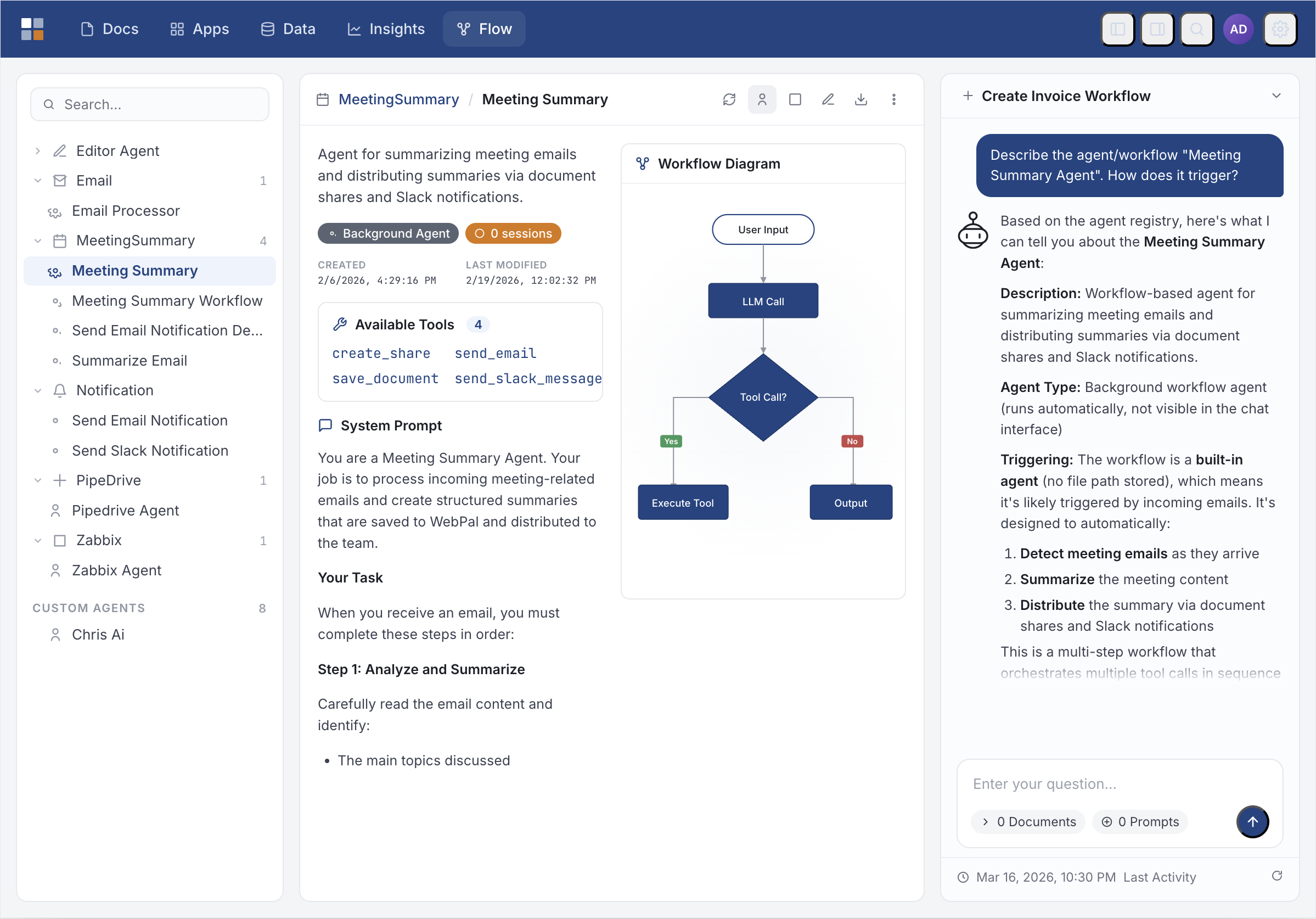
Automate complex, multi-step business processes without writing code. AI Flow Agents handle decision-making, coordinate integrations, and orchestrate work across your entire stack — autonomously.
Multi-Step Orchestration
Define flows that span dozens of steps across documents, databases, and external services. Agents execute each step in sequence or in parallel, retrying on failure and logging every action.
Autonomous Decision-Making
Agents evaluate conditions, branch on data, and apply business rules without human intervention. Configure approval gates for high-stakes decisions while automating routine ones.
Deep SaaS Integrations
Connect agents to your CRM, HR, accounting, and cloud storage platforms. Agents read, write, and act on data across 22+ integrations including Microsoft 365, Salesforce, and QuickBooks.
Event-Driven Triggers
Start a flow automatically when a document arrives, an email is received, a form is submitted, or a schedule fires. Agents wake up on events and return results without any manual initiation.
Extensible Tool Library
Agents draw on a rich library of built-in tools — document reading and writing, web search, data extraction, code execution — and can call any custom tool you register.
Full Audit Trail
Every agent action — tool call, decision branch, external API call — is logged with inputs, outputs, and timestamps. Replay any run or export logs for compliance review.

 USE CASES
AI Flow Agents in Action
See how AI Flow Agents handle real business processes end-to-end — from intake to resolution — without manual hand-offs.
Contract Review & Routing
An agent monitors an inbox, extracts key terms from incoming contracts, checks them against policy rules, flags exceptions, and routes approved documents to the correct folder — without anyone touching a mouse.
Employee Onboarding
On a new hire trigger from BambooHR, an agent creates accounts, generates welcome documents from templates, sends orientation emails via Outlook, and logs completion in your HR system.
Invoice Processing
Agents extract line items from scanned invoices, match them against purchase orders, post approved invoices to QuickBooks or Xero, and flag discrepancies for human review — all within minutes of receipt.
Compliance Reporting
Scheduled agents pull activity logs, summarize exceptions, generate formatted compliance reports, and distribute them to the right stakeholders — on time, every time.
From Trigger to Outcome
AI Flow Agents follow a consistent execution model — triggered by an event, reasoning through steps with tools, and delivering a verifiable result.
Ready to put your workflows on autopilot?
See how AI Flow Agents can eliminate manual hand-offs and accelerate every process in your organization.